> ## Documentation Index
> Fetch the complete documentation index at: https://docs.tess.im/llms.txt
> Use this file to discover all available pages before exploring further.
# Your Account
Maintaining your personal data up to date is essential for security and proper identification on the Tess platform. The "Account" section within your settings is the central place to manage all your profile information.
This article shows how to access and modify your personal data.
### **How to access Account settings**
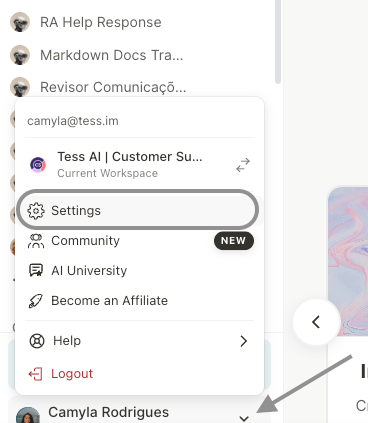
Log in to your Tess account and then click on your profile icon, located in the bottom-left corner of the screen. In the menu that opens, select the "Settings" option.
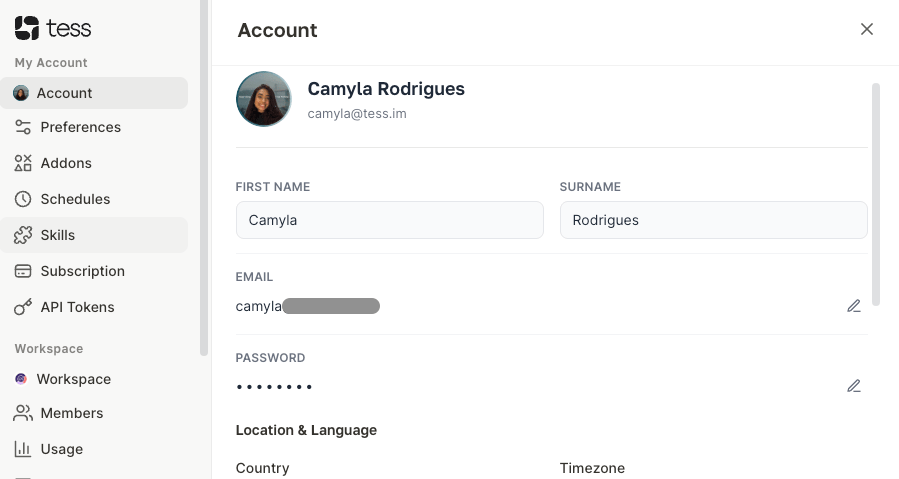
 By default, you will be directed to the "Account" tab. On this screen, you can manage the following information:
1. Personal Data: Change your first name, last name, and profile picture.
2. Access Email and Location: Modify the email address associated with your account, as well as your location.
By default, you will be directed to the "Account" tab. On this screen, you can manage the following information:
1. Personal Data: Change your first name, last name, and profile picture.
2. Access Email and Location: Modify the email address associated with your account, as well as your location.
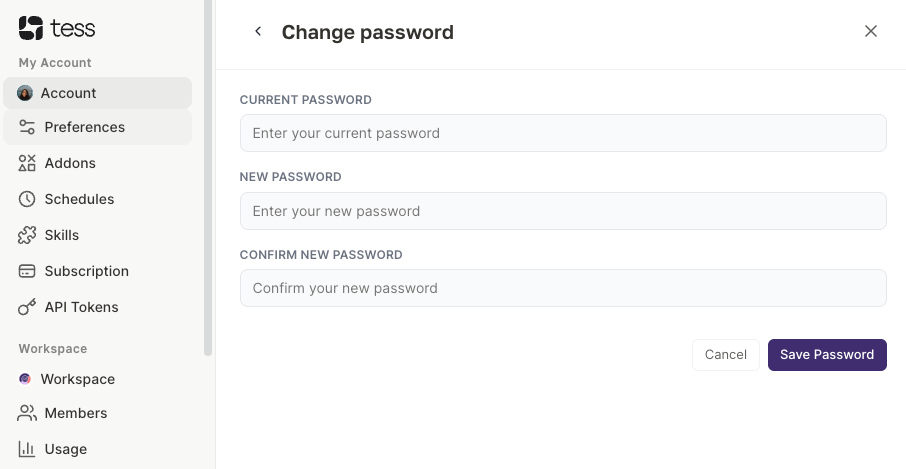
 3. Password Change: Create a new password to access your account.
 4. Delete Account: Start the process to permanently delete your Tess AI account.
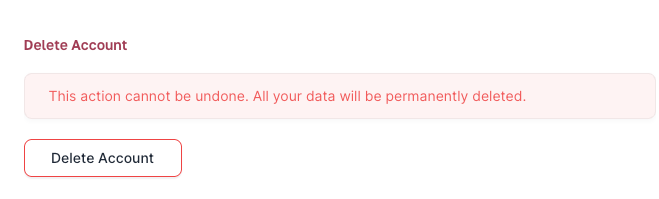 **Important Warning About Account Deletion**
The action of deleting your account is permanent and irreversible. Once confirmed, all your data, agents, history, and settings will be lost. All your work will be discarded. Be absolutely sure before proceeding with this action.
**Important Warning About Account Deletion**
The action of deleting your account is permanent and irreversible. Once confirmed, all your data, agents, history, and settings will be lost. All your work will be discarded. Be absolutely sure before proceeding with this action.