> ## Documentation Index
> Fetch the complete documentation index at: https://docs.tess.im/llms.txt
> Use this file to discover all available pages before exploring further.
# Data Control
The Data Controls area brings together everything you need to know about security, privacy, and availability of Tess AI. Here you can access the Trust Center (with certifications and policies) and the System Status (real-time uptime monitoring and incidents).
### **What you'll find in this area**
\
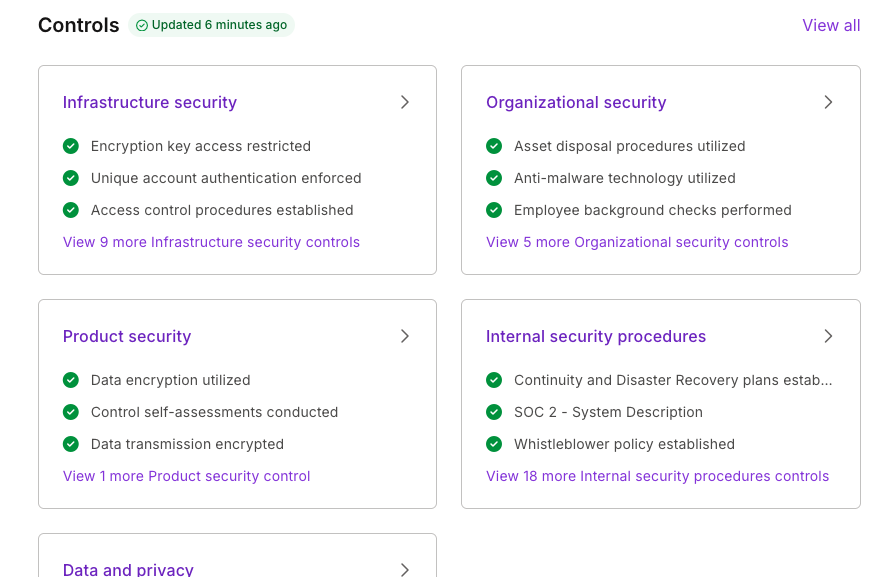
The Trust Center consolidates Tess AI's security practices and certifications across five main pillars:
Protection of the servers and environments where Tess operates, access controls, redundancy, backup and disaster recovery, etc.
Internal security governance policies, audit and continuous review processes, etc.
Secure development practices (secure coding, code review, vulnerability testing), security updates and patches, among others.
Threat monitoring routines, incident response, and others.
Compliance with LGPD, GDPR, and other data protection regulations. Policies for data collection, storage, use, and disposal, among others.
 **Why access the Trust Center?**
1. Transparency: see how Tess protects your data and operations
2. Compliance: useful for internal audits, information security, and regulatory compliance
3. Trust: essential for IT, security, legal, and privacy teams that are evaluating or already using Tess
\
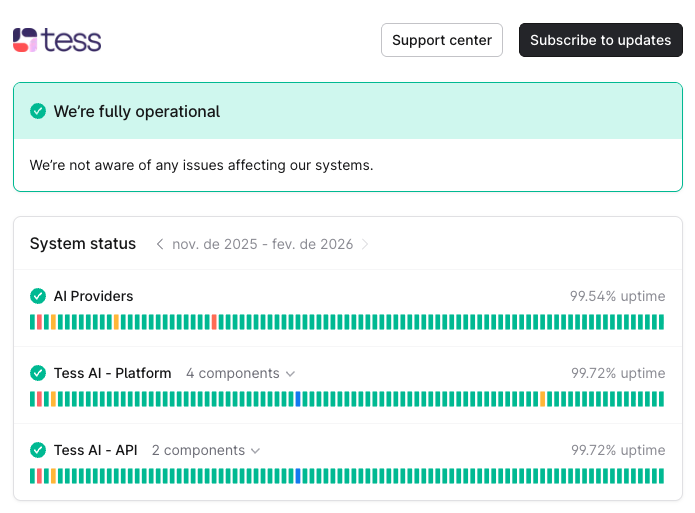
The System Status shows, in real time, the operational health of the Tess AI platform:
* Current uptime (service availability)
* Ongoing incidents or recent history
* Performance of APIs and main features
**Why access the Trust Center?**
1. Transparency: see how Tess protects your data and operations
2. Compliance: useful for internal audits, information security, and regulatory compliance
3. Trust: essential for IT, security, legal, and privacy teams that are evaluating or already using Tess
\
The System Status shows, in real time, the operational health of the Tess AI platform:
* Current uptime (service availability)
* Ongoing incidents or recent history
* Performance of APIs and main features
 **Why access the System Status?**
If you're experiencing slowness or an error, you can check whether it's a general or local issue and have transparent visibility into incidents (start, resolution, impact).
In summary, Data Controls ensure full transparency about how Tess protects your data (Trust Center) and keeps the platform running with high availability (System Status).
Access it whenever you need to verify security, assess compliance, or check if there is any ongoing incident.
**Why access the System Status?**
If you're experiencing slowness or an error, you can check whether it's a general or local issue and have transparent visibility into incidents (start, resolution, impact).
In summary, Data Controls ensure full transparency about how Tess protects your data (Trust Center) and keeps the platform running with high availability (System Status).
Access it whenever you need to verify security, assess compliance, or check if there is any ongoing incident.