> ## Documentation Index
> Fetch the complete documentation index at: https://docs.tess.im/llms.txt
> Use this file to discover all available pages before exploring further.
# System Status
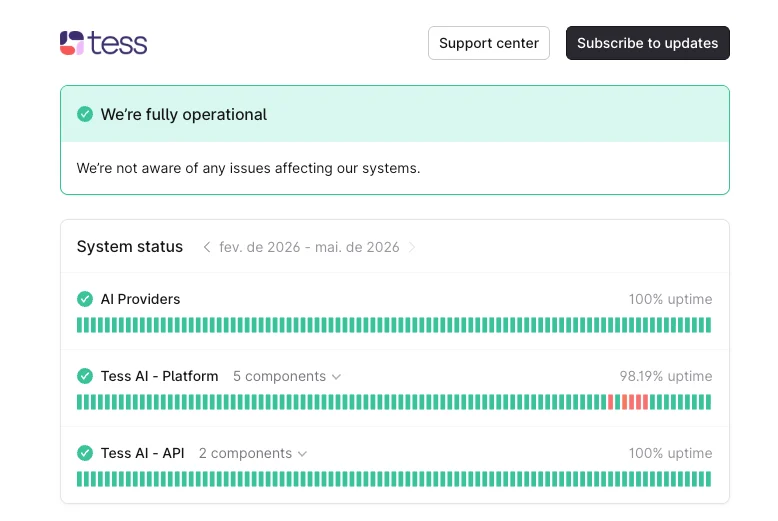
Tess provides a dedicated page where you can monitor in real time the operational status of all our services.
### **What is the System Status page?**
The "System Status" page is a centralized dashboard that informs you about the operational status of the Tess platform and integrated APIs. If any instability or scheduled maintenance occurs, this will be the first place to reflect that information.
 ### **How to access the Status page?**
> *1. Via direct link*
>
> You can access the dashboard at any time at the following address: [https://status.tess.im/](https://status.tessai.io/).
>
> *2. Through the Tess AI platform*
>
> You can also find the path to the status page within your Tess account. Follow the steps below:
>
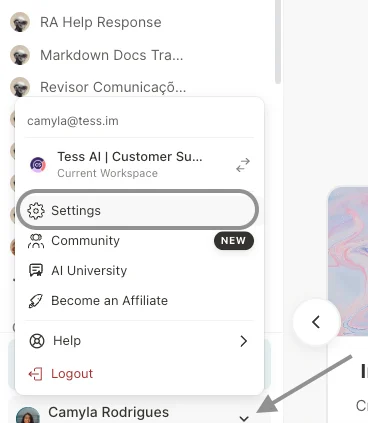
> * Go to the "Settings" screen in the left sidebar menu of the platform.
>
### **How to access the Status page?**
> *1. Via direct link*
>
> You can access the dashboard at any time at the following address: [https://status.tess.im/](https://status.tessai.io/).
>
> *2. Through the Tess AI platform*
>
> You can also find the path to the status page within your Tess account. Follow the steps below:
>
> * Go to the "Settings" screen in the left sidebar menu of the platform.
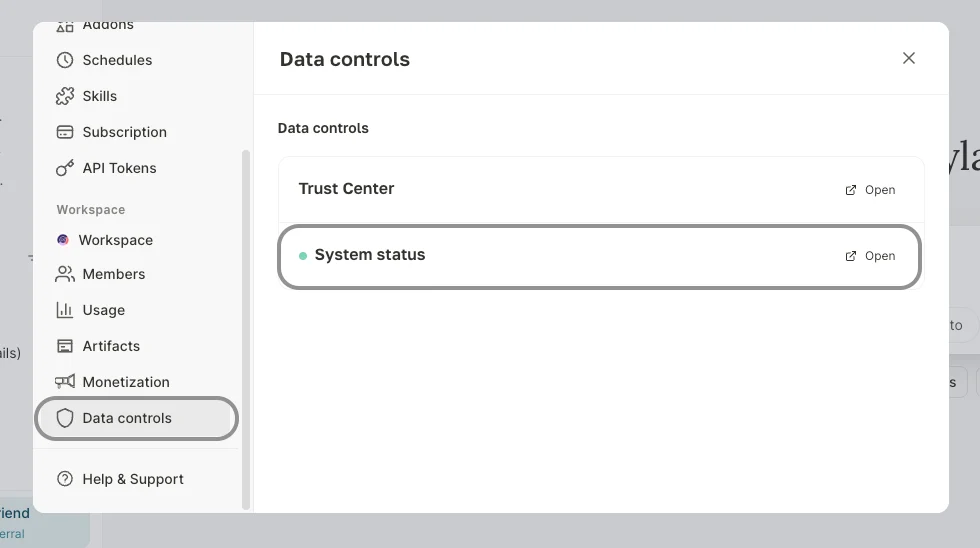
>  > * In the settings menu, select the "Data Control" option.
> * Then click on "System Status".
>
>
> * In the settings menu, select the "Data Control" option.
> * Then click on "System Status".
>
>  ### **How to receive status updates?**
For your convenience, you can subscribe to receive automatic notifications about any changes in the status of our services.
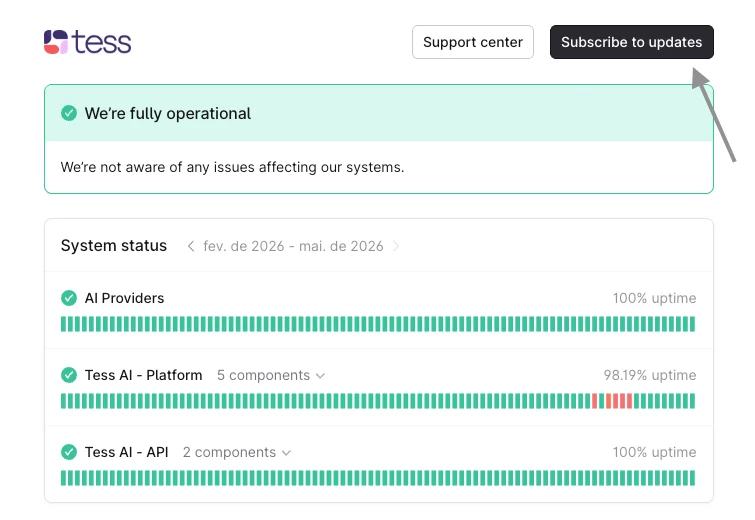
On the status page, you will find an option to subscribe ("Subscribe to updates"). You can choose to receive all notifications or only those related to specific platform components that are most relevant to your usage.
### **How to receive status updates?**
For your convenience, you can subscribe to receive automatic notifications about any changes in the status of our services.
On the status page, you will find an option to subscribe ("Subscribe to updates"). You can choose to receive all notifications or only those related to specific platform components that are most relevant to your usage.
 **IMPORTANT!**
If the status page indicates that all systems are operational, but you are still experiencing issues, it may be a problem specific to your account or configuration. In that case, do not hesitate to contact us.
If you have any questions, our support team is available to help via email: [support@tess.im.](mailto:suporte@tessai.io)
**IMPORTANT!**
If the status page indicates that all systems are operational, but you are still experiencing issues, it may be a problem specific to your account or configuration. In that case, do not hesitate to contact us.
If you have any questions, our support team is available to help via email: [support@tess.im.](mailto:suporte@tessai.io)