

Overview
Cowork is Tess’s real-time space for hiring and managing Digital Employees with your team. This guide shows how to open it and what you see first.Prerequisites
- An active Tess account
- Cowork enabled for your workspace (gated feature — ask a workspace admin if you do not see it)
- Permission to use Cowork in that workspace
How to open Cowork
Step 1: Find Cowork in the sidebar
In the Tess sidebar (next to New Chat and other main items), click Cowork.Step 2: Land on the Mesh Canvas
You go straight to the Mesh Canvas (Mission Control): employee nodes, presence, search, Hire, Layers, and the Omnibar at the bottom.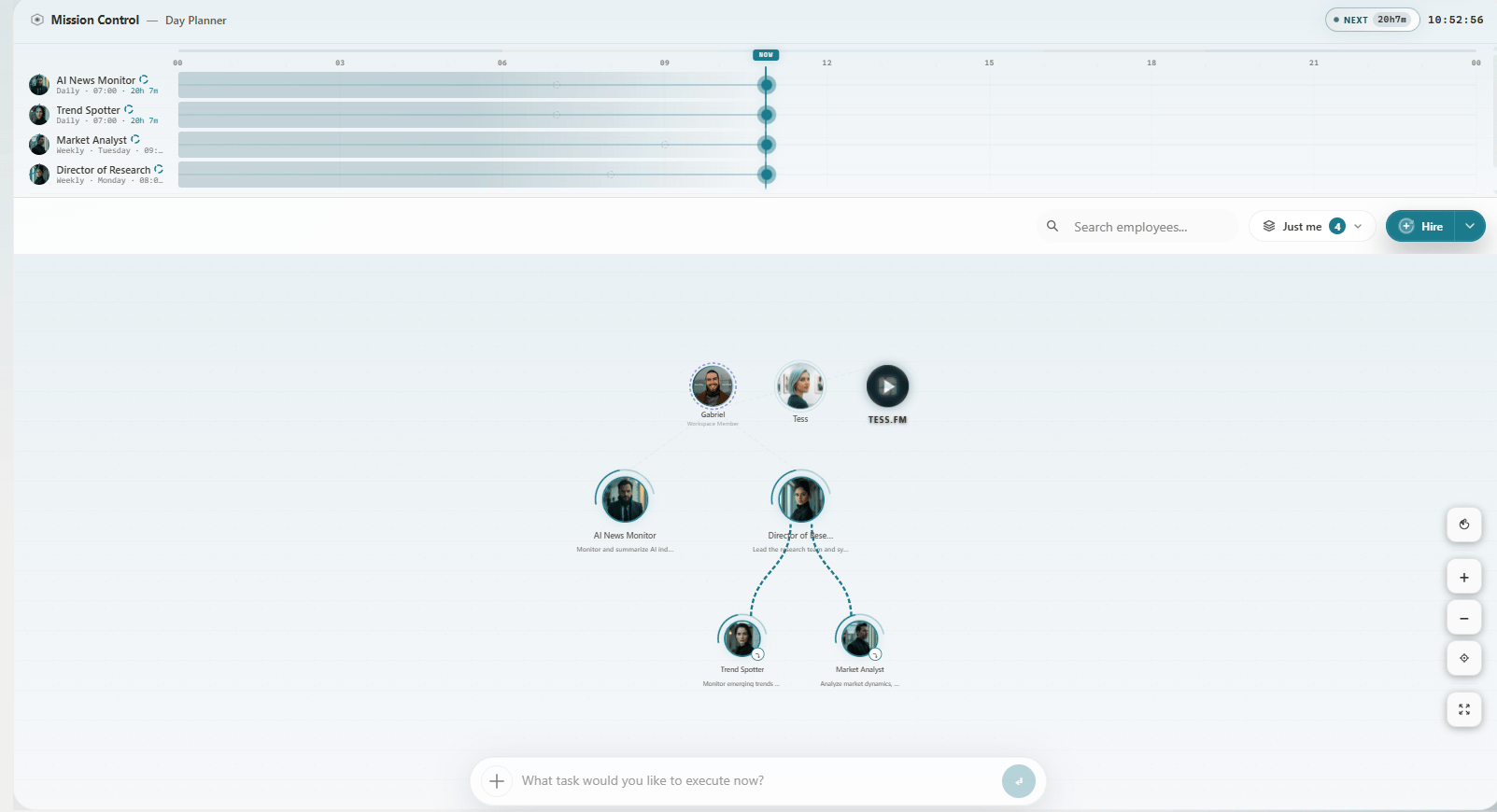
Mesh Canvas after opening Cowork
If you do not see Cowork
- Ask your workspace admin to enable Cowork for the workspace
- Confirm your role can use Digital Employees
- Contact your admin if the menu item is still missing