

1. When should you request Remote Support?
- Unexpected behavior: When an agent or feature does not behave as expected.
- Configuration difficulties: If you need help setting up a more complex feature.
- Issue analysis: So our team can thoroughly investigate an error or difficulty that was not resolved with general guidance.
2. How to request Remote Support (Step by Step)
Access your profile
Click your username, located in the lower-left corner of the platform, to open the options menu.
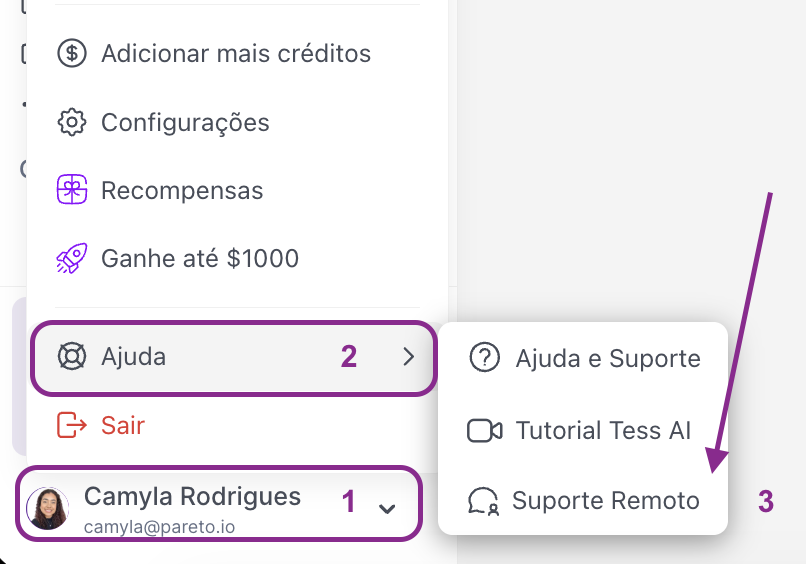
Fill out the form
A window will open with the fields to be filled in.
- Support Team E-mail: Enter the email address of the Tess specialist who is in contact with you.
-
Description: Explain the reason for your request. Provide as much information and context as possible, as this will help us understand and resolve your request more quickly.
