

What is it?
It is the setting that defines the “active memory size” of the model in each execution. In practice, the larger the context:- The more history the model considers
- The higher the cost per execution
Memory Economy Mode allows adjusting this dynamically, prioritizing economy or depth.
Before using: what you need to know
Before changing this setting, it is worth understanding some important points:- It is a per-user setting: Each user defines their own preference and their choice does not automatically alter the experience of other Workspace members
- It is a global setting of your experience in Tess: It does not apply only to a single chat, the adjustment starts to influence your conversations on the platform in general, nor does it become a “per Prompt” setting.
- You don’t need to reset this for every new conversation: Once adjusted, the preference remains active until you change it again, the main goal is to balance quality and cost
More context improves history retention. Less context reduces token spending, especially in long chats
Where to find it?
1
Access Preferences
In the bottom left corner, click on your user icon and access the settings > preferences option.
2
Find Memory Economy Mode
Scroll down to the memory economy configuration option.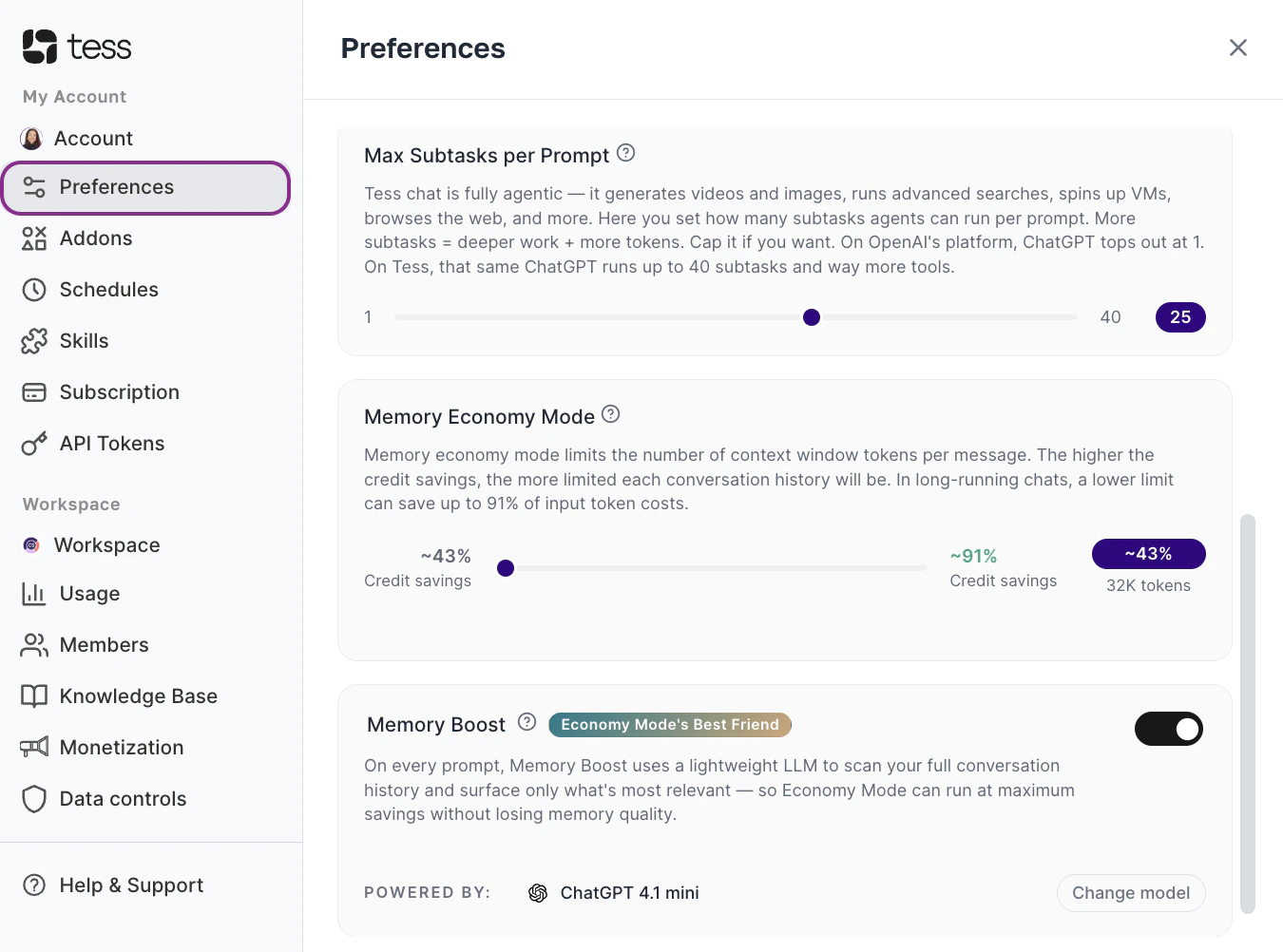
3
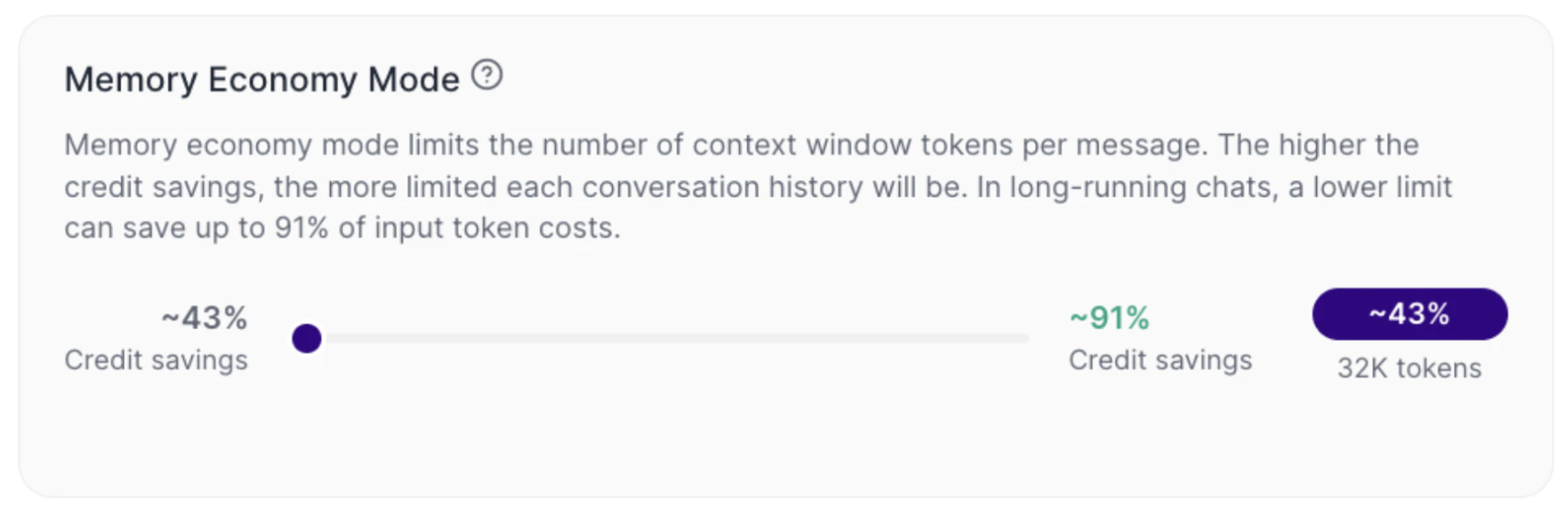
Adjust the Slider
- Further right → more economy
- Further left → more context (e.g., the default and the 32K token window)
4
Keep using Tess
How to interpret Memory Economy Mode
Memory Economy Mode works as a control between economy and context depth.When the slider is leaned more towards economy (right)
Tess limits the quantity of tokens per message more strongly. In practice, the cost tends to drop, the useful history that the LLM will use from the conversation gets smaller, long chats might lose continuity earlier. The default setting is 32K tokens, 43% credit saving.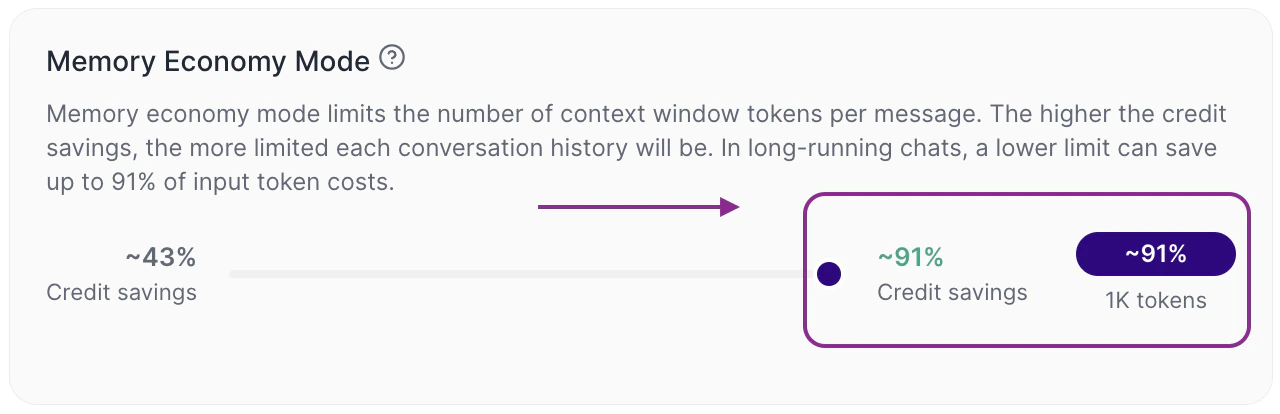
When the slider is leaned more towards context (left)
Tess expands the available limit per message. In practice, more history can be considered by the LLM, the continuity tends to improve and the input cost (input token) tends to go up, after all, it is much more content being reviewed by the text model to compose its memory.On the interface itself, you will see indicators such as: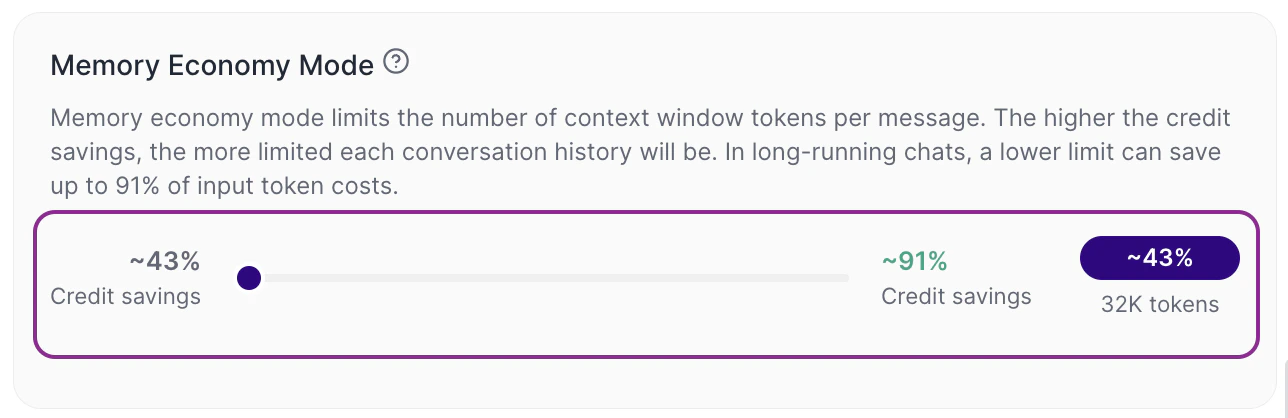
- estimated percentage of credit savings
- approximate context limit, such as 32K tokens
How this works in practice
Generally speaking, this setting is more relevant in long conversations. In a short chat, the difference might be small. However, in a chat that accumulates a lot of history, the context limit becomes more important, because the model cannot consider everything indefinitely. This means that, in extensive conversations:- with less context, older parts may cease to be considered
- with more context, continuity tends to be better
- with Memory Boost active, Tess can retrieve relevant excerpts of the history even while keeping a more economical limit
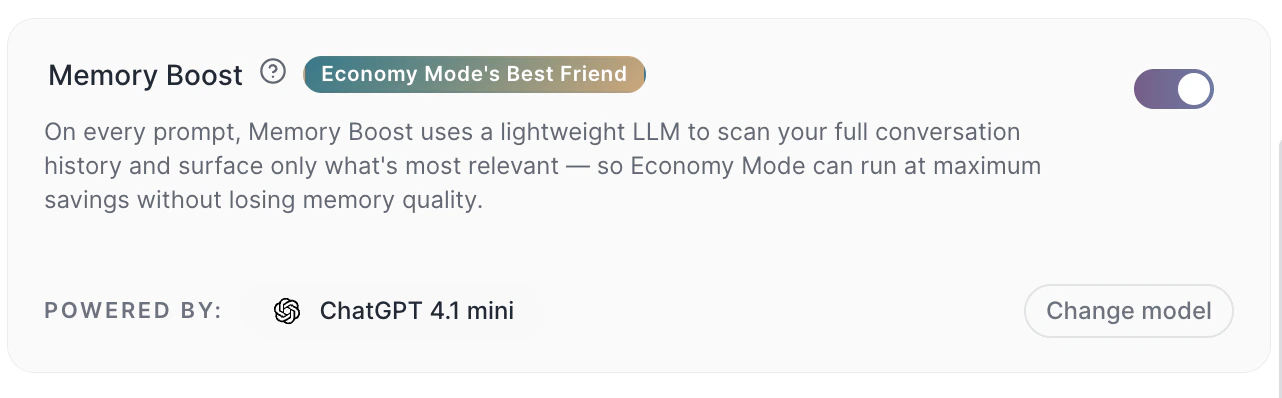
The context window is not just a technical setting. It changes the actual behavior of the AI over the course of its use.
This means that the platform controls how much history will effectively be sent to the model with each new interaction.
Therefore, adjusting the Memory Economy Mode works as an individual usage policy: you decide to prioritize either more economy or more history retention. This control is especially useful for those who want to scale the use of Tess with more cost predictability.Additionally, the set limit impacts all messages in the chat and models that are used to converse. However, when activating Max Mode, the model ignores this setting and uses the native maximum limit of each model.
Practical examples of context and settings
Example 1: fast and operational use If you use Tess for tasks like reviewing short texts, answering objective questions or generating small content variations, for example, a more economical mode is usually sufficient.Prompt example:Example 2: strategic and continuous conversation If you are using Tess to build a plan throughout several interactions mature an analysis or work on a project with accumulated context, a larger context tends to work better.
“Rewrite this paragraph in a more professional tone.” In this case, there is no need to keep much of the conversation history.
Prompt example:Important notes
“Consider everything we have discussed so far and organize a final proposal in topics.” Here, continuity makes a difference in the result, it may be important to review your maximum limit.
- More context = higher consumption of credits
- Less context can make the AI “forget” parts of the conversation
- The impact is greater in long chats
- The displayed value (e.g., 32K tokens) is an approximate limit
Common mistakes
- Leaving context high for everything: This increases the cost even in simple tasks that do not need a long history.
- Leaving context too low in strategic chats: This can harm continuity and generate less consistent responses throughout the conversation.
- Treating this setting as something per chat: The adjustment is made in the user’s preferences and broadly influences the experience on the platform.
- Ignoring the impact on credits: The more context is used per message, the higher the input cost tends to be in long conversations.