What you’ll find in this area
Trust Center
The Trust Center consolidates Tess AI’s security practices and certifications across five main pillars:
Infrastructure Security
Infrastructure Security
Protection of the servers and environments where Tess operates, access controls, redundancy, backup and disaster recovery, etc.
Organizational Security
Organizational Security
Internal security governance policies, audit and continuous review processes, etc.
Product Security
Product Security
Secure development practices (secure coding, code review, vulnerability testing), security updates and patches, among others.
Internal Security Procedures
Internal Security Procedures
Threat monitoring routines, incident response, and others.
Data and Privacy
Data and Privacy
Compliance with LGPD, GDPR, and other data protection regulations. Policies for data collection, storage, use, and disposal, among others.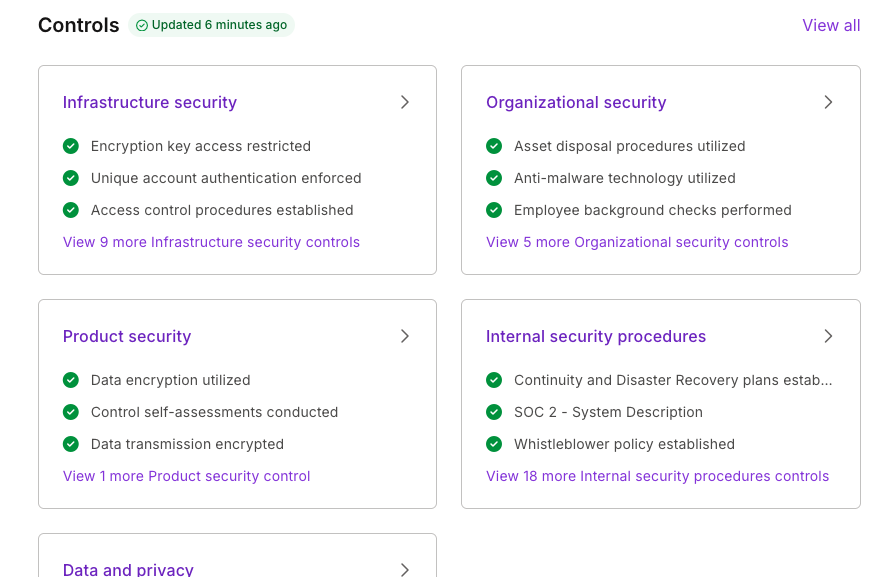
- Transparency: see how Tess protects your data and operations
- Compliance: useful for internal audits, information security, and regulatory compliance
- Trust: essential for IT, security, legal, and privacy teams that are evaluating or already using Tess
System Status
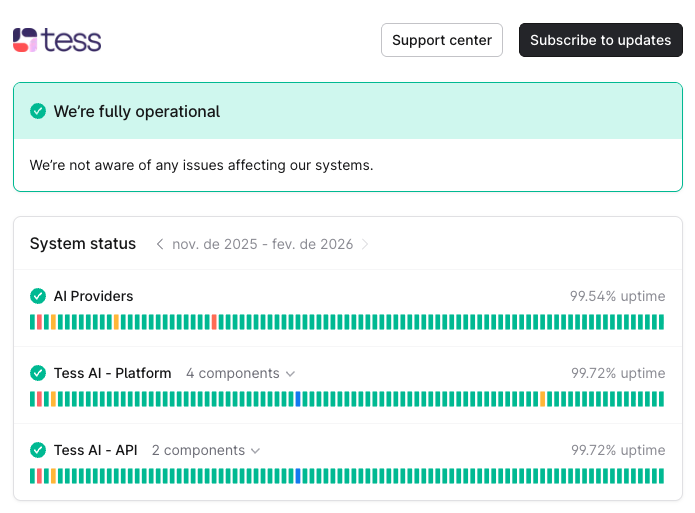
The System Status shows, in real time, the operational health of the Tess AI platform:
- Current uptime (service availability)
- Ongoing incidents or recent history
- Performance of APIs and main features