

Public Pages were previously called Artifacts.
What are they?
Public Pages are published outputs from Tess with their own hosting. In practice, any structured content on the platform can be turned into a public link. This eliminates the need to export text to other publishing tools (such as a CMS or website builder). They act as a bridge between your creation environment (AI) and the final delivery to clients or your team.Where to find them?
Access Public Pages through the settings menu after clicking on your user icon: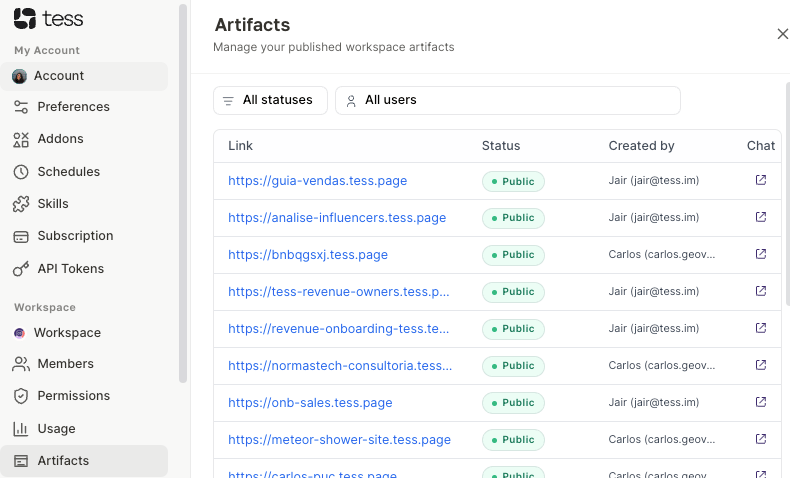
How to use them?
- Generate the content: In the Tess AI chat, ask it to create a page, guide, or analysis.
- Turn it into a Public Page: Ask the AI to structure the final format (e.g., “turn this into a page for publication”) and use the publishing feature in the chat.
- Access management: Go to the sidebar → Workspace → Public Pages.
- Copy and share: Click on the generated link (format
tess.page) and send it to whoever needs it. - Control publication: If you need to take the page offline, simply click on the green status label Public. It will unpublish the page instantly. To publish it again, click the same button.
Deeper explanation
Public Pages work as a simplified deployment layer within Tess. Instead of:- Exporting content
- Uploading it to a CMS
- Configuring hosting
- Is linked to a source chat
- Can be reopened and iterated
- Maintains a stable link (ideal for sharing)
Practical examples
1. Create a simple landing page
Prompt:
“Create a landing page for a SaaS CRM product for small businesses. Structure it with a headline, benefits, social proof, and CTA.” Then:
“Turn this into a publishable page”
2. Share an analysis with a client
Prompt:
“Analyze this sales data and generate an executive report with insights and recommendations” Then:
“Format this as a clear page to share with a client”
Important notes
- Published public pages are accessible via a public link, so avoid including sensitive or confidential data.
- The default domain is
tess.page