

1. When should you request Remote Support?
- Unexpected behavior: When an agent or feature does not behave as expected.
- Configuration difficulties: If you need help setting up a more complex feature.
- Problem analysis: So our team can deeply investigate an issue or difficulty that was not resolved with general guidance.
2. How to request Remote Support (Step by Step)
1
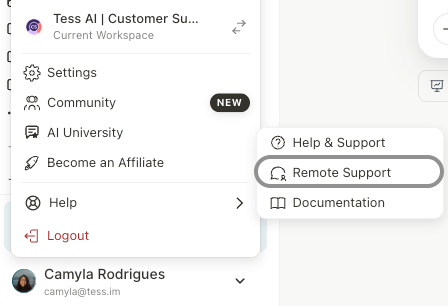
Access your profile
Click on your username, located in the bottom left corner of the platform, to open the options menu.
2
Locate "Remote Support"
3
Fill out the Form
A window will open with fields to be completed.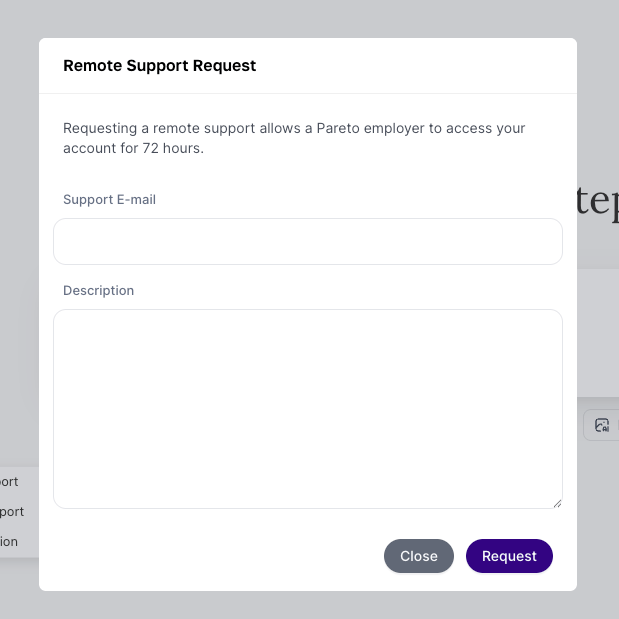
- Support Team E-mail: Enter the email address of the Tess specialist who is in contact with you.
- Description: Detail the reason for your request. Provide as much information and context as possible, as this will help us understand and resolve your request faster.
4
Submit the Request
After filling in the fields, click the “Request” button.