

Overview
Digital Employees can pause a run and ask you to decide. In Cowork those requests appear as cards on the employee drawer and on the live run view — not in a separate approvals inbox. Common types:- Plan approval — review the proposed plan, then Approve or Reject (and edit tasks when the card allows)
- Input needed — answer a question so the run can continue
- Connector action — approve, ask for changes, or skip a connector step
- Pending hire review — for self-hire proposals: Review & Edit / Approve / Dismiss (also surfaced in Mission Control pending items)
Plan approval
Plan approval in Cowork
- Open the employee from the Mesh (or the pending cue in Mission Control)
- Read the proposed plan in the card
- Approve to continue, or Reject to stop
Input needed
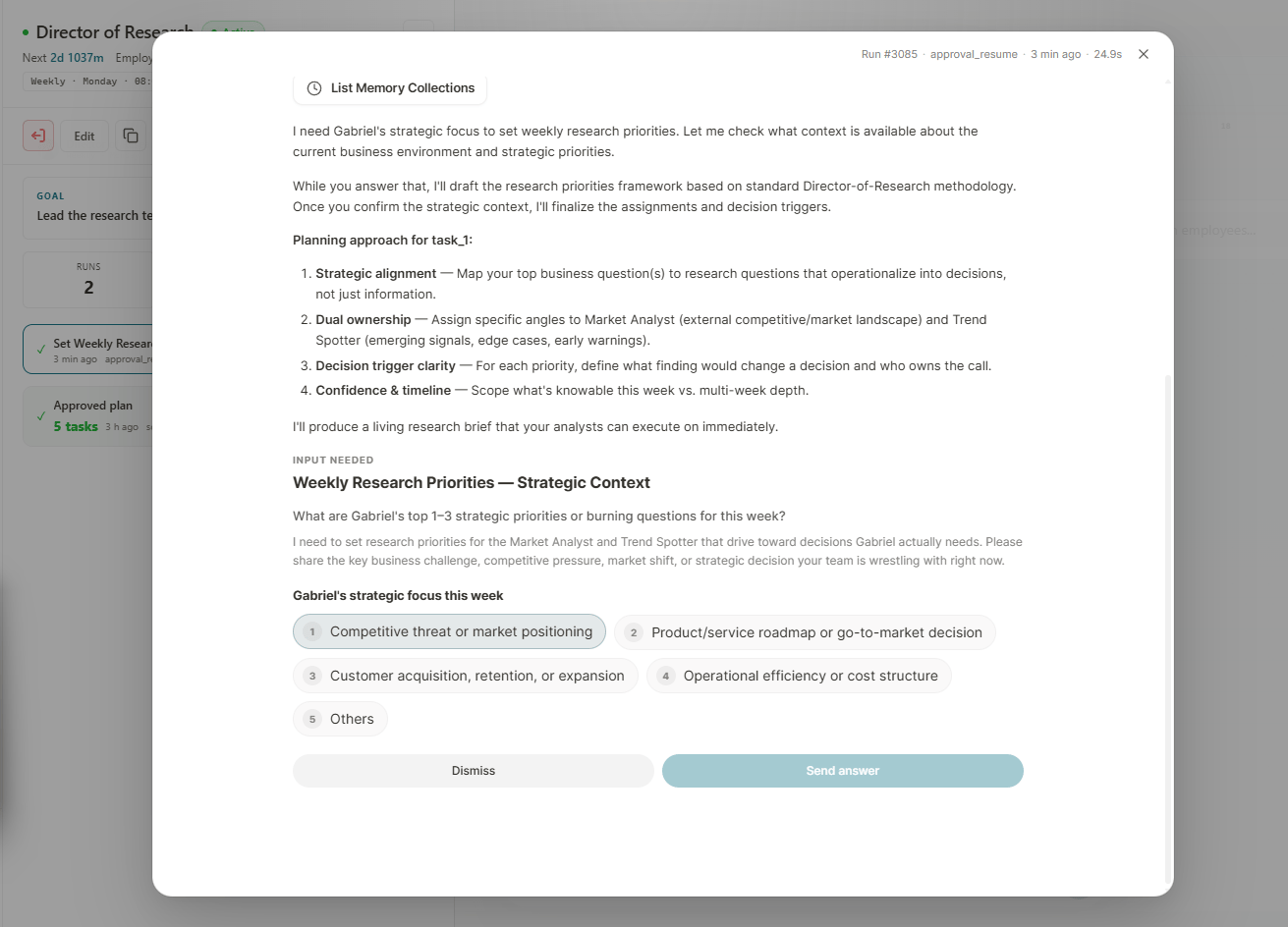
Input request card
- Read the question
- Enter your answer (or pick a choice when offered)
- Submit — the employee resumes with your input
Connector decisions
When a run needs approval for a connector action, use the decision card on the run view (approve / ask changes / skip as shown).If you do not respond
The run stays waiting. There is no automatic timeout that approves for you. Resolve pending cards so scheduled wake-ups and follow-up work are not blocked.Tips
- Clear pending items promptly — Mission Control highlights what is waiting
- Read the plan before approving
- Prefer Supervised Work Mode when you want these gates by default