

Where is the history?
On the left side of the main screen, you’ll find the list of your chats organized chronologically. Each new chat is saved automatically and receives a name generated by Tess itself, based on the beginning of the conversation (which can be renamed).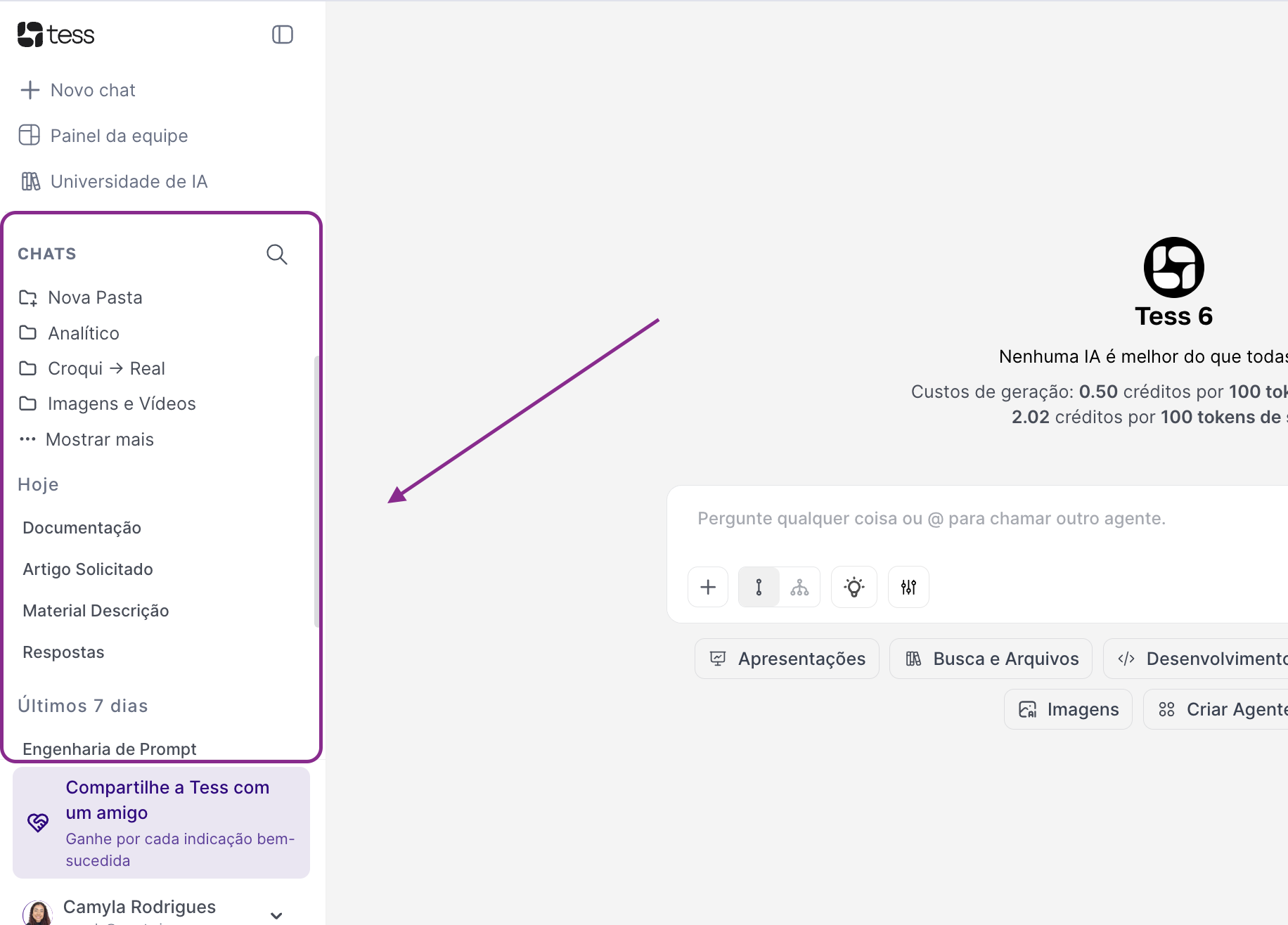
- Reopen previous conversations: click on any conversation in the list to open the full history. You can continue the conversation exactly where you left off, reusing all the context already built.
-
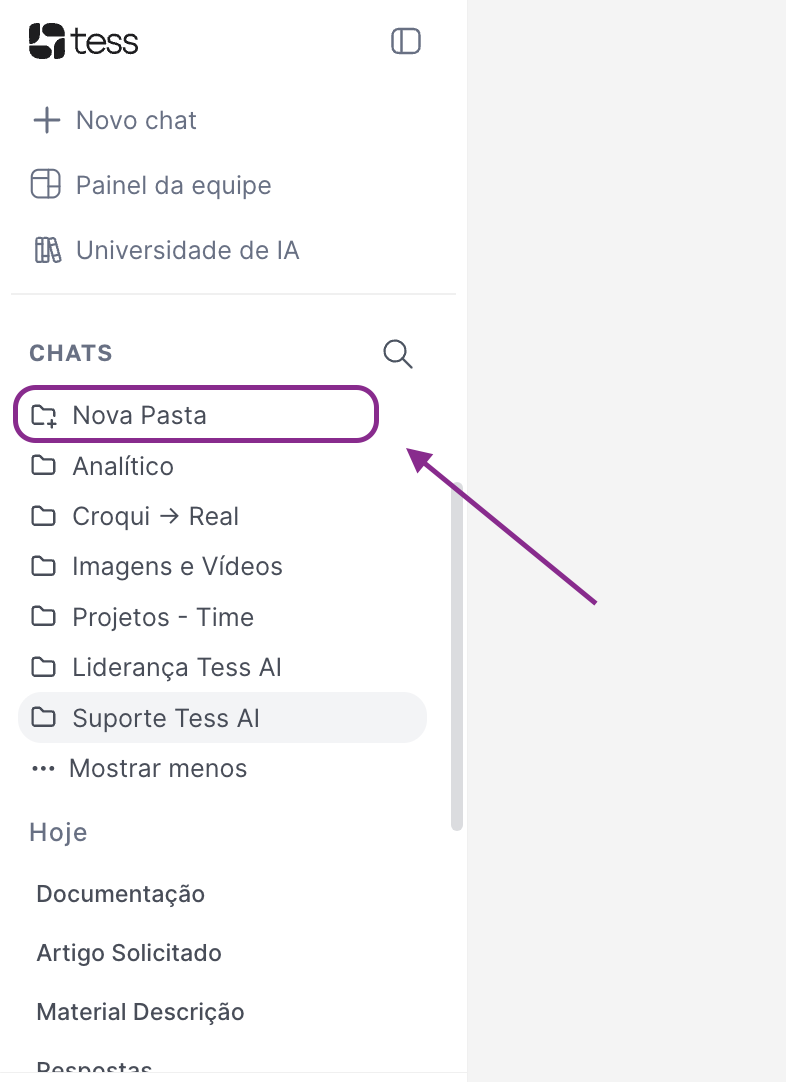
Organize into folders: to keep everything organized, you can create folders and group conversations, for example, by topic (e.g., “Marketing”, “Legal”, “Internal Support”), by project (e.g., “Q3 Launch”, “Client Onboarding”), by client, etc.
-
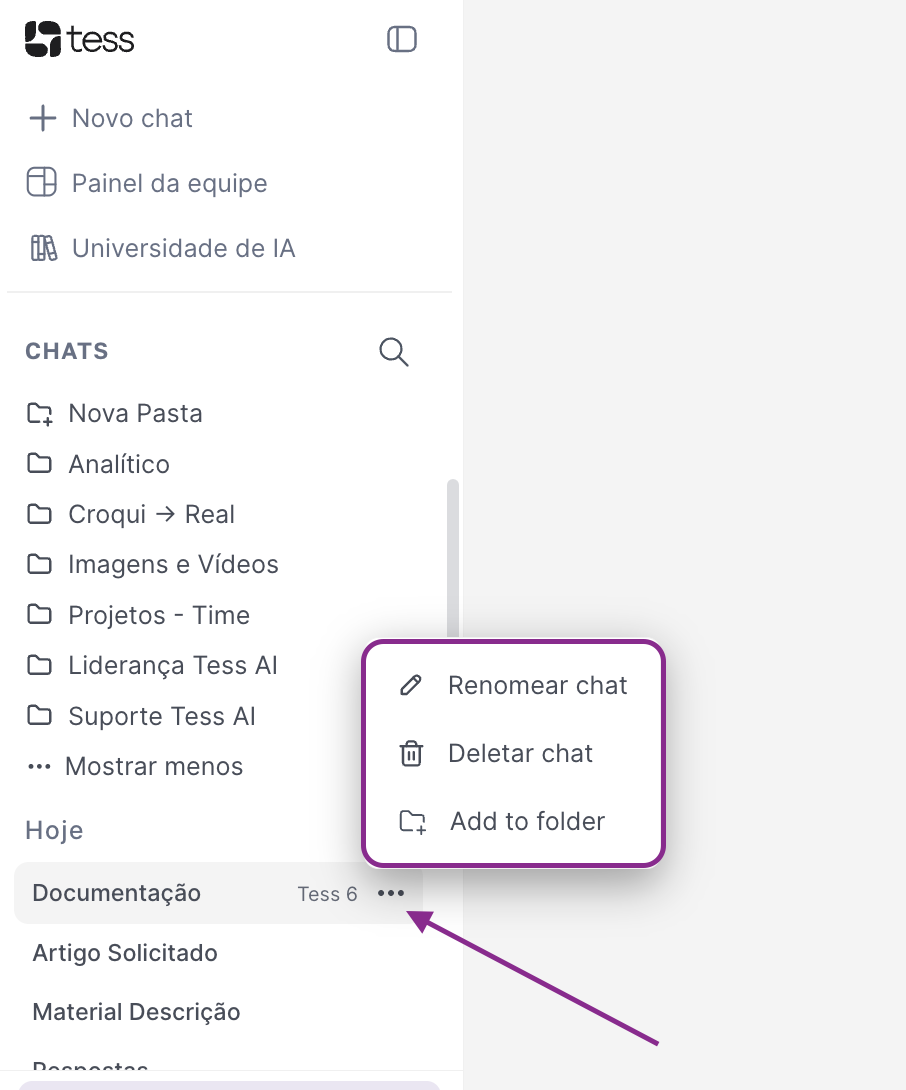
Rename or delete chats: If a name assigned isn’t ideal, or you’re following a specific naming pattern, you can rename it. Or, if a chat has no relevance and you want to delete it, you can do so. Keep in mind that this action is not reversible.
- Reuse content: By revisiting conversations, you can copy important excerpts already produced, turn old responses into documents, or use previous conversations as a basis for new prompts.
Make the most of your Conversation History, as it is your memory panel within Tess AI: everything is recorded, organized, and easy to find.