What is the Step?
The integration with Meta Ads provides 6 actions, divided into:Actions (execution)
- Change Campaign Daily Budget → changes the daily budget
- Change Campaign Status → enables or pauses campaigns
- Budget Shift Campaigns → automatically redistributes budget
Analysis (insights)
- Creative Image Analysis → analyzes creatives (images)
- Identify Overactive Ads → identifies ad fatigue
- Metrics Trend Report → analyzes performance trends
How to use (Fields per action)
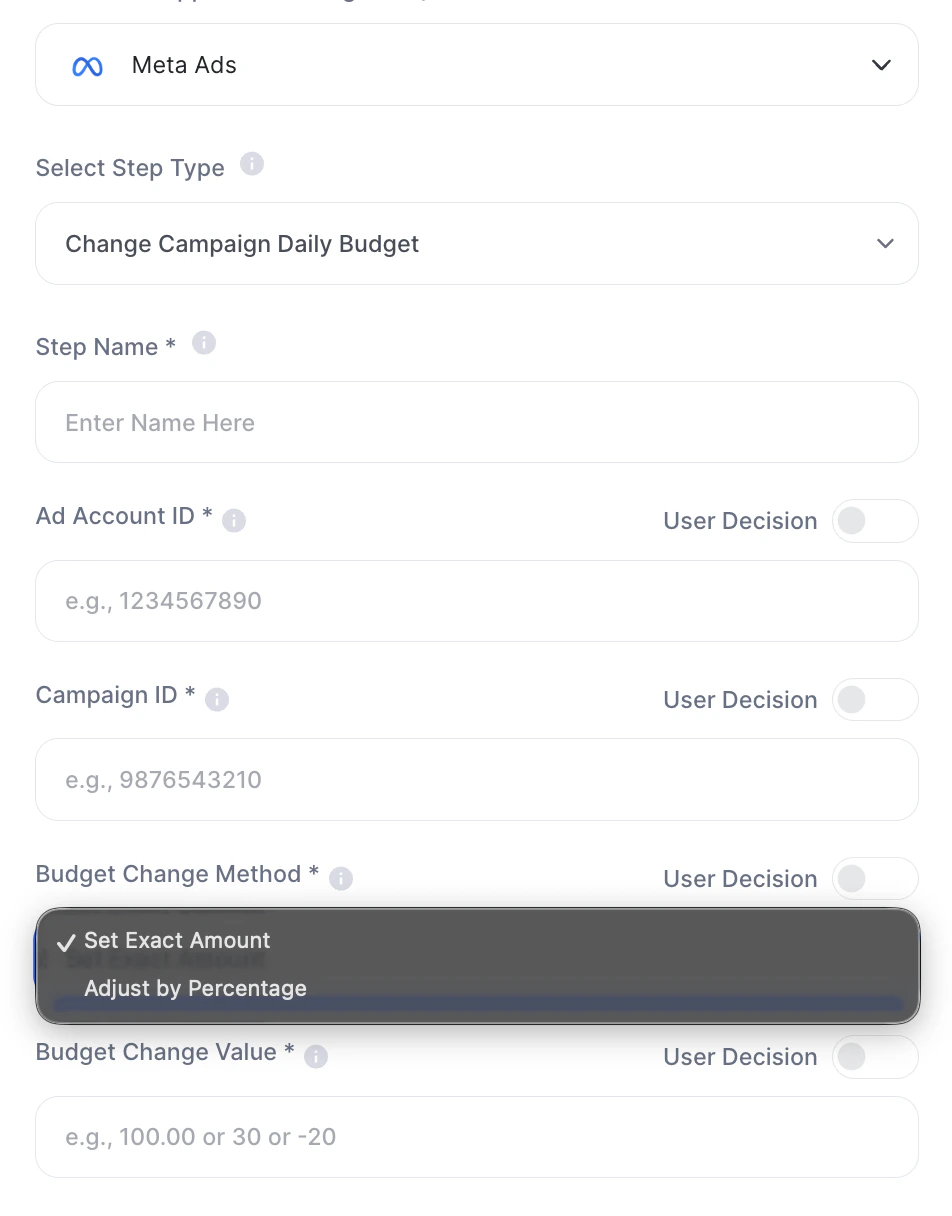
1. Change Campaign Daily Budget
| Field | Description |
|---|---|
| Step Name | Internal step name |
| Ad Account ID * | Meta ads account ID |
| Campaign ID * | Campaign ID to be changed |
| Budget Change Method * | Method: Set Exact Amount or Adjust by Percentage |
| Budget Change Value * | Change value (e.g.: 100.00, 30, -20) |

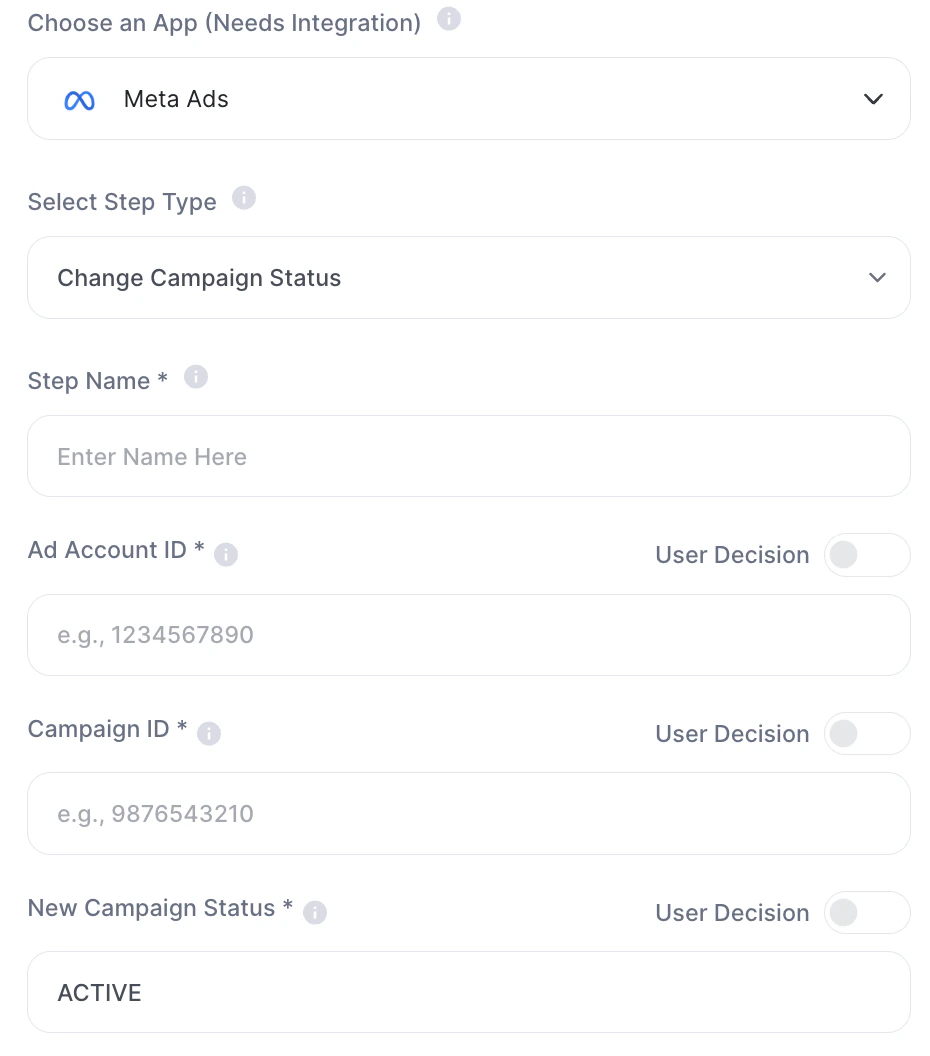
2. Change Campaign Status
| Field | Description |
|---|---|
| Step Name | Internal step name |
| Ad Account ID * | Ads account ID |
| Campaign ID * | Campaign ID |
| New Campaign Status * | New status (ACTIVE, PAUSED) |

3. Budget Shift Campaigns
| Field | Description |
|---|---|
| Step Name | Internal step name |
| Meta Ads Account ID * | Ads account ID |
| Analysis Period (Days) * | Analysis period (e.g.: 30) |
| Has New Budget Allocation * | Defines if there will be a new budget (Yes or No) |
| New Budget | New total value (e.g.: 2500.00) |
| Percent Adjust | Percentage adjustment (e.g.: 20 or 20%) |
| Excluded Campaigns ID | Excluded campaign IDs |
| Excluded Adsets ID | Excluded ad set IDs |
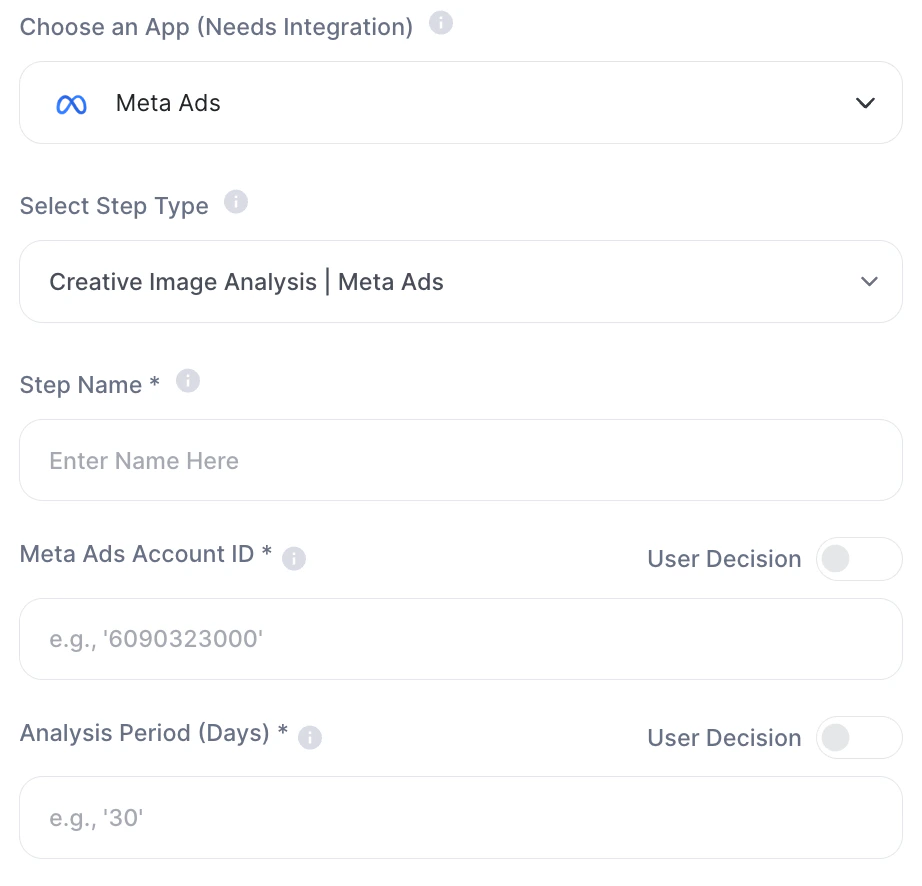
4. Creative Image Analysis
| Field | Description |
|---|---|
| Step Name | Internal step name |
| Meta Ads Account ID * | Ads account ID |
| Analysis Period (Days) * | Period analyzed |

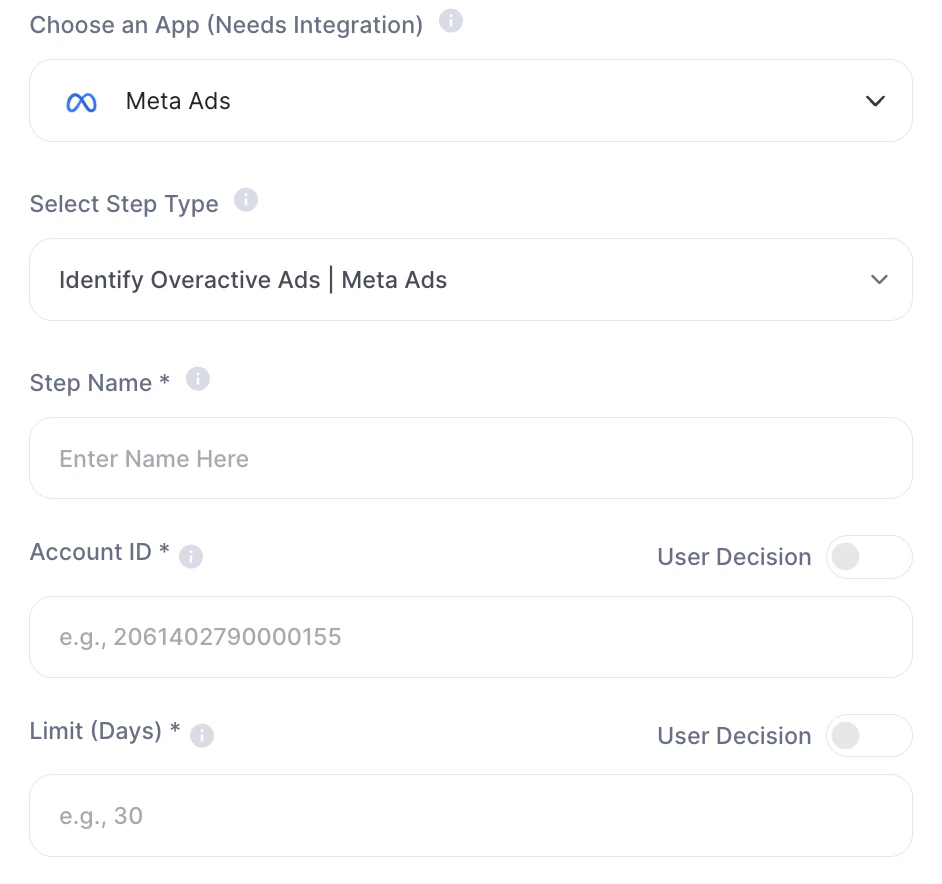
5. Identify Overactive Ads
| Field | Description |
|---|---|
| Step Name | Internal step name |
| Account ID * | Account ID |
| Limit (Days) * | Days limit to consider it “overactive” |

6. Metrics Trend Report
| Field | Description |
|---|---|
| Step Name | Internal step name |
| Meta Ads Account ID * | Account ID |
| Analysis Period (Days) * | Period analyzed |
| Report Segment * | Segment (e.g.: campaigns, adsets) |
| Key Performance Indicator (KPI) * | Main metric (e.g.: cpa, cpr, roas) |
Practical examples
- Automatically reduce budget on low-performing campaigns
- Identify saturated creatives
- Redistribute budget across campaigns
- Generate automatic performance reports
Important notes
- Meta Ads integration is required
- Actions impact real campaigns
- There is no confirmation prior to execution