

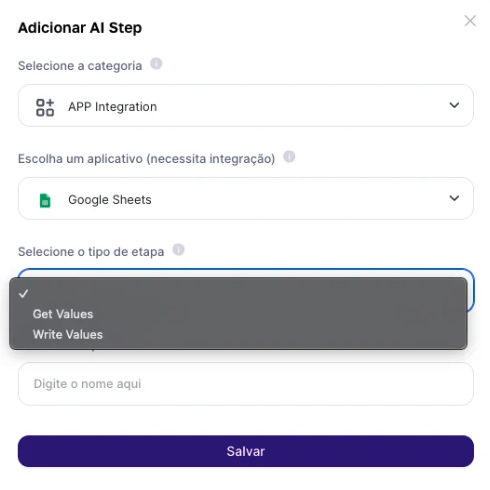
Fill-in Fields:Output Result: The extracted data will be presented in a structured format, such as a file link or string, depending on the configured output format. The output type Link is recommended for cases where you’ll use subsequent steps that analyze files, and for transferring large volumes of data.
- Enter the Spreadsheet URL: Provide the URL of the Google Sheets file you want to access. Another option is to preconfigure a fixed URL in the advanced step.
- Specify the Data Range: Indicate the sheet name and the cell range you want to extract, for example, “dados_abril!A1:C10”.
Use Cases
Human Resources Management
Use this step to extract employee performance data directly from Google Sheets spreadsheets and, with this data, train an AI model to run analyses and identify potential leaders, training needs, or turnover risks. This approach enables more proactive, data-driven talent management, contributing to the development of a more engaged and productive workforce.
Financial and Budget Analysis
Extract financial data from multiple spreadsheets to perform automatic consolidations and variance analyses against the budget. With this data, you can apply an AI model to detect anomalies, forecast future cash flows, and optimize resource allocation, making strategic financial decision-making easier and improving the preparation of more accurate fiscal reports.
Market Research and Sentiment Analysis
Configure the extraction of customer satisfaction survey data stored in Google Sheets and use AI to perform sentiment and text analysis. This helps you better understand customer perceptions, identify areas for improvement, and adjust products or services according to market expectations.
Limitations:
- The volume of extracted data depends on the correct specification of the cell range and is adapted to the LLM’s context.
Output format
- Output format Text: returns a list of objects, using the first row as column names. Default: returns a list of rows similar to a matrix.
- Output format downloadable: returns the data as a string. Link: returns the data as a JSON-type Link for download.